Baby Monitor for Flats UK: The Honest Guide to Beating Interference

It’s 3am. Your baby monitor cuts out. Static. Silence. Then a burst of noise that definitely isn’t coming from your child’s room.
You stand there in the dark wondering: is she okay? Is that even my monitor? Or am I picking up next door’s baby?
If you’re in a UK flat, choosing the right baby monitor for flats is harder than most guides admit — because most guides are written for houses. They talk about thick walls and WiFi range. That’s not your problem.
If you live in a flat, this isn’t a faulty monitor. This is interference — and it’s one of the most common problems new parents in UK flats face.
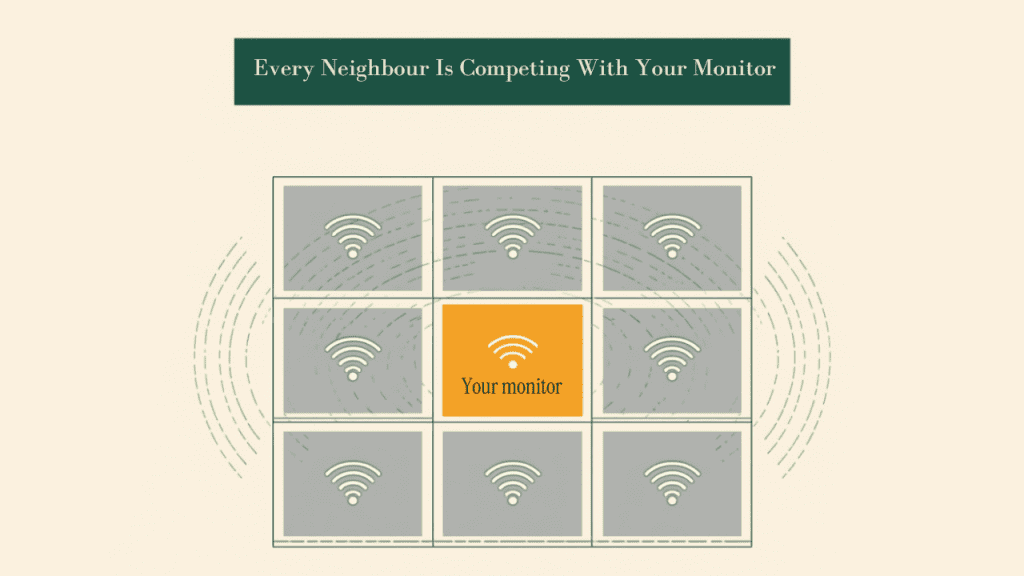
Your problem is baby monitor for flats interference: radio frequency congestion. You’re surrounded by neighbours, their routers, their baby monitors, their smart devices — all competing for the same slice of radio spectrum as your monitor.
The good news: there’s a clean, reliable fix. And once you understand the physics — which I’ll explain in plain English — the solution becomes obvious.
Why Flats Are the Hardest Environment for Baby Monitors
Finding a reliable baby monitor for flats starts with understanding why the environment works against you. There are around 5 million flats in the UK. In London, flats account for more than half of all housing. And the people most likely to live in them? Young families — exactly the people who need baby monitors most.
Here’s what most guides get wrong: the problem in a flat is completely different from the problem in a Victorian house.
In a Victorian house, thick solid brick walls kill your WiFi signal. In a flat, signal strength is rarely the issue. Your baby’s room might be separated from your neighbour’s kitchen by a single stud wall and some plasterboard.
The problem is interference. Too many devices, too close together, all sharing the same radio frequencies.
How Many WiFi Networks Are Actually Around You?
Grab your phone right now and look at available WiFi networks. In a typical detached house, you’ll see four or five. In a mid-rise flat, you’ll likely see 10, 15, sometimes 20 or more.
Every single one of those networks broadcasts on the 2.4GHz frequency band — the same band used by the vast majority of WiFi baby monitors.
Think of it this way: imagine trying to have a conversation in a crowded pub. Everyone’s shouting over each other. That’s what your baby monitor is dealing with every night. Except instead of a pub, it’s your living room wall.
Where the Interference Actually Comes From
WiFi baby monitors run on the same frequency as a long list of household devices. In a flat, the density of these devices multiplies by however many neighbours surround you.
Sources of interference include:
- Neighbours’ WiFi routers — the main culprit, all broadcasting on 2.4GHz
- Other baby monitors — yes, if your neighbour has a cheap 2.4GHz monitor, you can literally hear their baby crying. It happens more than people admit.
- Microwave ovens — they emit at 2.4GHz while running
- Bluetooth devices — headphones, speakers, game controllers
- Smart home devices — Alexa, Google Home, smart bulbs, smart plugs
- Older cordless landline phones — particularly models from the early 2000s
In a house, some of these are distant enough not to matter. In a flat, your neighbour’s router might be physically closer to your baby’s cot than your own router is.
The WiFi Channel Problem Explained Simply
The 2.4GHz band has 13 channels in the UK. Sounds like plenty — but most of those channels overlap with each other. There are only three non-overlapping channels: 1, 6, and 11.
So you have 15+ WiFi networks in your building, all fighting over three usable channels. Even if you manually switch your router to channel 1 — the least congested option — your baby monitor still picks up interference from neighbours’ routers on channels 2, 3, and 4, which bleed directly into channel 1.
This is why changing your router channel helps, but doesn’t solve the problem. You’re still swimming in the same crowded pool.
According to Ofcom’s guidance on wireless interference, the 2.4GHz band is an unlicensed frequency — meaning anyone can use it without restriction. That’s exactly why it’s so congested.
DECT: The Interference-Proof Solution
DECT stands for Digital Enhanced Cordless Telecommunications. If you’ve ever used a BT cordless phone in the UK, you’ve already used DECT technology.
Here’s why it solves the flat interference problem completely:
DECT operates at 1.9GHz -a frequency band reserved exclusively for DECT devices in the UK and Europe. Your neighbours’ routers don’t use it. Their smart TVs don’t use it. Their Alexa devices don’t use it. Nobody uses it except DECT devices.
It’s like having a private lane on the motorway. While everyone else is gridlocked on the 2.4GHz carriageway, your DECT monitor is cruising alone. For a baby monitor for flats, this single fact changes everything.
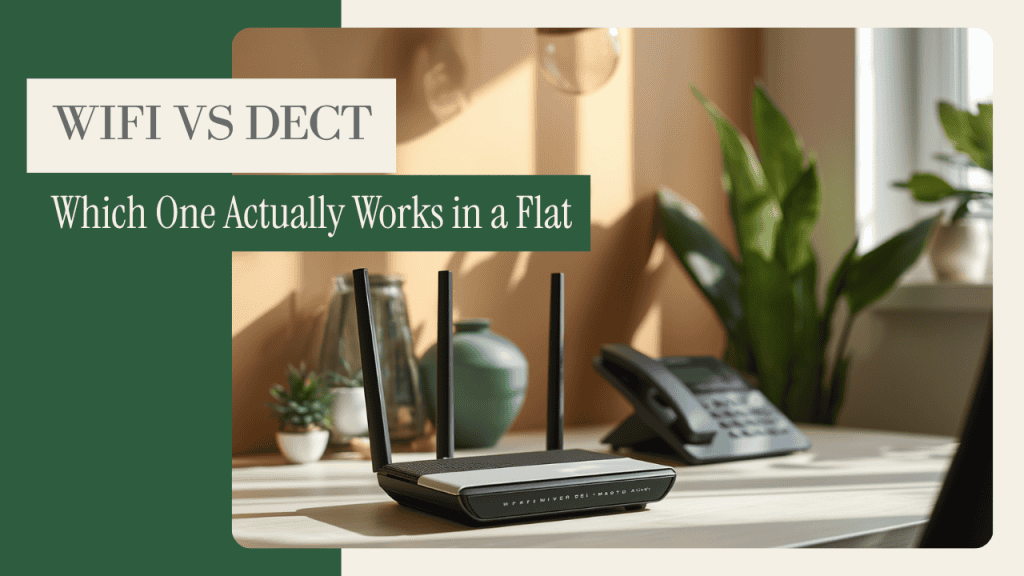
On top of the dedicated frequency, DECT uses automatic frequency hopping — if any interference appears on one channel, the device switches instantly to another without you noticing any disruption.
And critically for privacy: DECT is a closed system. It doesn’t connect to the internet. There’s no app. There’s no cloud server. The signal travels from the camera unit to the parent unit, and nowhere else.
For flats, this combination – private frequency, frequency hopping, closed system – makes DECT the only genuinely reliable solution. The interference problem simply doesn’t exist on 1.9GHz.
It’s also worth noting: the same DECT technology solves a completely different problem in Victorian houses. There, the enemy is thick brick walls killing WiFi signal rather than congested frequencies -and DECT handles that too. If that’s your situation, the baby monitor for Victorian houses guide covers it in full.
DECT vs DECT 6.0 — An Important Note for UK Parents
If you’re searching Amazon and see “DECT 6.0” monitors — avoid them. DECT 6.0 is a North American standard used in the US and Canada. It operates on different frequencies and is not certified for use in the UK.
When buying in the UK, look for products that simply say “DECT” – not “DECT 6.0”. All three monitors I recommend below are correct UK-standard DECT devices.
Best Baby Monitors for UK Flats
Every baby monitor for flats below is a DECT audio monitor. I’ll address video separately — and honestly — in the next section.
A quick word on affiliate links: some links in this post earn me a small commission if you buy through them, at no extra cost to you. It never changes what I recommend — which is why one of the monitors below has no link at all. Full details in my affiliate disclosure.
Best Overall — Philips Avent DECT Baby Monitor
Type: DECT audio Where to buy: Amazon UK, John Lewis, Argos — check the current price Best for: Parents who want zero interference and don’t need video
The Philips Avent DECT range is consistently recommended across UK parenting communities — and for good reason. It operates at 1.9GHz, delivers clear audio quality, and includes a temperature display on the parent unit, which is genuinely useful for monitoring your baby’s room overnight.
The range is more than adequate for any flat. The parent unit has a belt clip, which matters more than you’d think at 3am when you’re moving between rooms.
Pros:
- True DECT at 1.9GHz — completely outside WiFi interference range
- Temperature alert on parent unit
- No app, no cloud, no security vulnerabilities
- Widely available across major UK retailers
Cons:
- Audio only — no video
- Basic feature set compared to smart monitors
A note on model numbers: Philips sells the Avent DECT range under several codes — SCD502, SCD503, SCD710 and others — and the line-up shifts every year or two. The DECT behaviour is identical across them, so buy whichever current model is in stock rather than hunting a specific number you saw in an old guide.
One thing to watch: Philips also sells the Avent Connected range, including the SCD951. Despite the shared Avent branding, that’s a WiFi monitor with an app — a completely different product to the DECT units described here, at roughly four times the price. If you’re buying for interference reasons, check the listing says DECT before you order.
Why there’s no Amazon link here: Amazon UK listings for Philips Avent mix the DECT units with the WiFi-based Connected models, and it’s easy to end up with the wrong box. I’d rather send you nowhere than send you to a WiFi monitor in a guide about avoiding WiFi. Buy it from John Lewis or Argos, where the product title states the technology — look for “DECT” in the name. If you’d rather order online in one click, the VTech DM1211 below is a verified DECT monitor that does the same core job.
A Word on BT — The Monitor Every Guide Still Recommends
If you ask around on Mumsnet or search for a DECT monitor in Britain, someone will tell you to buy a BT. The 450, the 750, the 6000 — BT made genuinely excellent DECT monitors, they were designed for British homes, and for years they were the obvious answer to exactly the problem this article describes.
BT has left the baby monitor market. The whole range is end-of-life. What’s left on shelves is residual stock, and once that’s gone there’s no successor coming.
This matters because nobody has written it down. Buying guides published this year still list the BT 450 as a current recommendation, which means parents are searching for a monitor that isn’t really on sale any more — and ending up with third-party resellers charging a premium for old stock with no warranty behind it.
If you happen to find a BT 450 or 750 new, in stock, at a fair price from a proper retailer, it’s still a good monitor and the DECT performance hasn’t changed. Just go in knowing there’s no manufacturer support waiting for you if something fails in eighteen months. For a monitor you’re buying today, the Philips Avent above is the DECT audio pick, and the Tommee Tippee Dreamee is the British brand that’s still in the game.
Best Budget — VTech DM1211
Type: DECT audio Where to buy: Amazon UK, Argos — check the current price Best for: Budget-conscious parents who still want proper interference-free monitoring
The VTech DM1211 is the entry point into proper DECT monitoring in the UK, and the direct successor to the DM221 you’ll still see recommended in older guides.It’s basic — no temperature display, no nightlight, no extras. But the core function — reliable, interference-free audio monitoring — works exactly as it should.
For a first-time parent in a flat who simply needs to know their baby is breathing without a monitor cutting out every twenty minutes, this does the job.
Pros:
- Cheapest reliable DECT option on the UK market
- Up to 300m range
- Straightforward to set up and use
Cons:
- Very basic feature set
- No temperature monitoring
- Parent unit design feels dated
Check the VTech DM1211 on Amazon UK →
Best Video Option — Tommee Tippee Dreamee
If you want to see your baby as well as hear them, this is the one monitor on this list that doesn’t drag you back onto the crowded 2.4GHz band. The Dreamee sends video over DECT — the same closed, dedicated frequency as the audio monitors above — so your neighbours’ routers simply aren’t in the same fight.
It runs entirely offline: the camera talks straight to the parent unit, with no router, no app and no account. You can pan the camera 330° and tilt it 110° from the parent unit, and there’s a CrySensor that flags crying on the parent unit.
Pros:
- Video over DECT — no 2.4GHz congestion
- Fully offline, so there’s nothing to hack from outside
- Pan and tilt from the parent unit
Cons:
- No phone viewing — the parent unit is the only screen
- Costs more than an audio-only DECT monitor
- On Amazon UK it’s often sold by third-party sellers, so check who you’re buying from
Check the Tommee Tippee Dreamee on Amazon UK →
What About Video Baby Monitors in Flats?
I want to be straight with you here, because most guides aren’t.
Most dedicated video baby monitors — the ones with a separate screen — do not use DECT. They typically use FHSS (Frequency Hopping Spread Spectrum), which still operates on the 2.4GHz band. The Tommee Tippee Dreamee above is the exception, and at the time of writing it’s the only DECT video monitor I’ve found on sale in the UK.
FHSS is better than a standard WiFi monitor because it hops between frequencies automatically, making it more resilient to interference. But it’s still on 2.4GHz — the congested band. In a very dense flat environment, FHSS monitors can still experience problems, even if less frequently than fixed-channel WiFi monitors.
Your options for video monitoring in a flat:
- FHSS video monitors — better than WiFi, not as good as DECT. Worth trying if your building isn’t extremely dense. The Motorola VM75 is a straightforward example: no WiFi, no app, just a closed 2.4GHz link between camera and screen.
- 5GHz WiFi monitors — less congested than 2.4GHz because the shorter range of 5GHz means fewer neighbours reach you on it. Still internet-connected, which brings its own security considerations.
- Accept audio-only DECT — for many flat parents, the honest answer is that a reliable audio monitor beats an unreliable video one every time.
My honest take: if you’re in a dense urban flat and you want video, start with the Dreamee — it’s the only way to get a picture without going back onto 2.4GHz. If that’s over budget, go DECT audio first. FHSS is a reasonable compromise only if interference hasn’t been a serious problem so far. But don’t let the screen distract you from the core job — knowing your baby is safe.
Quick Fix: If You Already Have a WiFi Monitor
Already have a WiFi baby monitor for flats and not ready to replace it? Try this first.Maybe you’ve already bought a WiFi monitor and you’re not ready to replace it. Here’s what to try before making that call.
Step 1: Download WiFi Analyser on Android (free). It shows every WiFi network in range and which channel each one occupies. You’ll see immediately how congested your environment actually is.
Step 2: Log into your router’s admin panel — usually accessed at 192.168.1.1 or 192.168.0.1 in your browser. Manually set your WiFi channel to 1, 6, or 11, whichever appears least occupied on the analyser.
Step 3: Restart your router, then restart your baby monitor.
This can meaningfully reduce interference in a moderately congested building. But I’ll be honest: if you’re in a dense urban flat with 15+ networks fighting for the same three channels, this is a plaster, not a cure. You might reduce the cutting out from every 20 minutes to every couple of hours. That’s not the same as solving it.
If interference returns within days: you have your answer. It’s time to consider DECT.
Privacy in Flats: One More Reason to Go DECT
I’ll be straight with you — we don’t live in a flat. We’re in a new build house. But even here, my phone picks up eight different WiFi networks from the street and neighbouring houses. In a flat, that number would be significantly higher. The physics don’t change — more networks competing for the same frequency means more interference for your monitor. That’s not theory, that’s just how radio waves work.
And it’s not just interference worth thinking about. It’s privacy.
Older 2.4GHz monitors — particularly analogue models and early digital devices — transmit on frequencies that anyone with the same model can accidentally receive. In a house, your nearest neighbour might be 20 metres away. In a flat, they’re through the wall.
There are documented cases of parents picking up audio from a neighbouring flat’s monitor, or hearing voices through their own. It’s uncomfortable to think about, and it’s a real risk with non-encrypted 2.4GHz devices.
DECT eliminates this entirely. The signal is digitally encrypted, operates on a private frequency band, and uses frequency hopping that makes casual interception essentially impossible. No neighbour is picking up your DECT signal by accident.
Because DECT doesn’t connect to the internet, it also falls outside the scope of the UK’s PSTI Act 2022 — the regulation covering connected IoT devices. There’s simply nothing for anyone to hack remotely. If you want the full picture on baby monitor security, our baby monitor security guide covers it in detail.

Baby Monitors for Flats: Your Questions Answered
Why does my baby monitor keep cutting out in my flat?
The most likely cause is radio frequency interference from neighbouring WiFi networks, other monitors, or household devices on the 2.4GHz band. In a typical UK flat, you can have 10–20 networks all competing with your monitor’s signal simultaneously. Switching to a DECT monitor (1.9GHz) eliminates this problem entirely — that frequency is reserved exclusively for DECT devices.
Can my neighbour’s WiFi interfere with my baby monitor?
Yes – significantly. Standard WiFi baby monitors operate on the same 2.4GHz frequency as your neighbours’ routers. In a flat, you can have dozens of networks all bleeding into your monitor’s signal. Even FHSS monitors can struggle in very dense environments. DECT monitors operate on 1.9GHz, which no WiFi router uses — interference from neighbours’ networks is physically impossible.
What is the best baby monitor for a flat or apartment UK?
For UK flats, a DECT audio monitor is the most reliable choice. The Philips Avent DECT range is the best overall option. On the tightest budget, the VTech DM1211 does the same core job for less. If you need video and your building isn’t extremely dense, the Tommee Tippee Dreamee is the only DECT video monitor worth considering — everything else with a screen is running on the same congested 2.4GHz band as your neighbours’ routers.
Does DECT work in flats?
Yes – DECT is specifically well-suited to flats. It operates at 1.9GHz, a frequency reserved exclusively for DECT devices in the UK and Europe. No neighbour’s router, smart device, or microwave uses this band. Range is never an issue in a flat — DECT monitors cover 300m or more in open air, far exceeding what any flat requires.
Can I use a 5GHz baby monitor to avoid interference?
A 5GHz WiFi monitor is less susceptible to interference than a 2.4GHz model — the shorter range of 5GHz means fewer neighbouring networks reach you. However, it’s still an internet-connected device with the security considerations that brings. For pure interference-proofing in a UK flat, DECT at 1.9GHz remains the superior and simpler solution.
The Bottom Line: Choosing a Baby Monitor for Flats
If you’re in a UK flat and your baby monitor keeps cutting out, the cause is almost always the same: too many WiFi networks competing for the same frequency band. It’s not a faulty monitor. It’s physics. Choosing the right baby monitor for flats makes all the difference.
The fix is straightforward. Move to DECT.
My recommendations by situation:
- Audio only, best overall: Philips Avent DECT range
- Video without the 2.4GHz problem: Tommee Tippee Dreamee — the only DECT video monitor here
- Audio, tightest budget: VTech DM1211
- Video on a tighter budget: an FHSS monitor such as the Motorola VM75 — better than WiFi, not as reliable as DECT
If you want to understand why WiFi monitors are vulnerable beyond just interference — including security risks and what to look for — the baby monitor security guide is the place to start.
Already read about baby monitors without WiFi? You’ll recognise the DECT recommendation. Same technology, different reason to choose it.
Living in a Victorian house rather than a flat? Different problem — thick walls rather than congested frequencies — but the same solution. The baby monitor for Victorian houses guide explains why.
If you’re still at the stage of choosing your first monitor entirely, the Best Baby Monitors UK guide covers the full picture.