Baby Monitor Range UK: How Far They Really Reach in British Homes (2026)
When my son was small, I did what most new parents do — I picked a monitor with a big number on the box. Three hundred metres, it said. Sounded like I could leave him napping and walk to the corner shop.
The reality? It started crackling before I’d reached the bottom of the stairs.
That gap between the box and your actual house is the whole story with baby monitor range. The number printed on the packaging was measured in an open field with nothing in the way. Your home is not an open field. It’s brick, plaster, concrete and a router fighting for the same airspace. So in this guide I’ll show you what baby monitor range really means in a British home, why our old housing stock makes it worse than the American reviews admit, and how to pick a monitor that actually reaches where you need it. No marketing numbers — just what works through real walls.
If you want the bigger picture first, I’ve put together our full UK baby monitor guide covering every model and feature. This post is the deep dive on one thing: distance.
The number on the box is a lie
Not a malicious lie. A technical one. But it’ll still cost you money if you trust it.
Every range figure on a baby monitor box is the open-field, line-of-sight range — the two units talking to each other outdoors, no walls, nothing in between. The number you actually care about is the realistic in-home range, and it’s a fraction of that.
Here’s the honest part, straight from a manufacturer. BT — about as British a brand as it gets — states its video monitors are tested to reach “up to 50 metres indoors and 250 metres outdoors.” Read that again. The same device, same kit, drops from 250 metres to 50 the moment you put it inside a house. That’s a five-to-one gap, and BT prints it themselves. Most brands quote you the 250 and let you find out about the 50 on your own.
It gets starker in older homes. There’s a thread on Mumsnet where a parent with solid stone walls describes a Philips Avent monitor rated at 330 metres barely reaching a neighbour’s kitchen less than 30 metres away — through a thin line of garden trees, not even a wall. That’s the open-field-versus-reality gap in one painful example.
So when you’re comparing monitors, mentally bin the headline number. The question isn’t “how many metres?” It’s “will it hold a signal through my walls, to the spot where I actually sit in the evening?”
Why British houses wreck baby monitor range
This is the bit the American guides skip, and it’s the most important section in this article.
If you live in the UK, there’s a decent chance your walls are working against you. According to the government’s English Housing Survey 2024-25, 20% of owner-occupied homes in England were built before 1919, and that rises to 32% of privately rented homes. Across the UK as a whole it’s roughly one home in five. That’s not a niche problem — that’s millions of families.
Pre-1919 means Victorian and Edwardian terraces and semis. And those houses were built with solid brick internal walls, nine to twelve inches thick — no cavity, no plasterboard partition, just dense masonry between you and the nursery. Add the concrete floors you find in a lot of flats, and you’ve got a building that eats radio signal for breakfast.
How much does it actually cost you? Philips publishes a wall-loss table in its monitor manuals, and it’s the clearest data I’ve found anywhere. Here’s what different materials do to your signal:
| What the signal has to pass through | Range loss |
|---|---|
| Wood, plaster, plasterboard, glass | 0–10% |
| Brick or plywood, under 30cm thick | 5–35% |
| Reinforced concrete, under 30cm thick | 30–100% |
| Metal grilles or bars | 90–100% |
| Metal or aluminium sheets | 100% |
| Wet or damp materials | up to 100% |
Look at the brick line: a single solid-brick wall can swallow up to 35% of your range. Stack two or three of those between the cot and the sofa, plus a concrete floor if you’re upstairs, and the maths gets brutal fast. Philips even flags damp materials as a near-total signal killer — worth knowing if you’re in an older property with any moisture issues.
This is exactly why I keep banging on about house type. The same monitor that sails through a modern timber-frame new-build will struggle in a Victorian terrace. If that’s your situation, it’s worth reading how I’d approach baby monitors for Victorian houses specifically — and if you’re in a flat with concrete floors and a wall of neighbours’ WiFi, the flats guide covers that headache too.
DECT vs WiFi — the real range decision
Once you understand the walls, the technology choice almost makes itself. There are two camps.
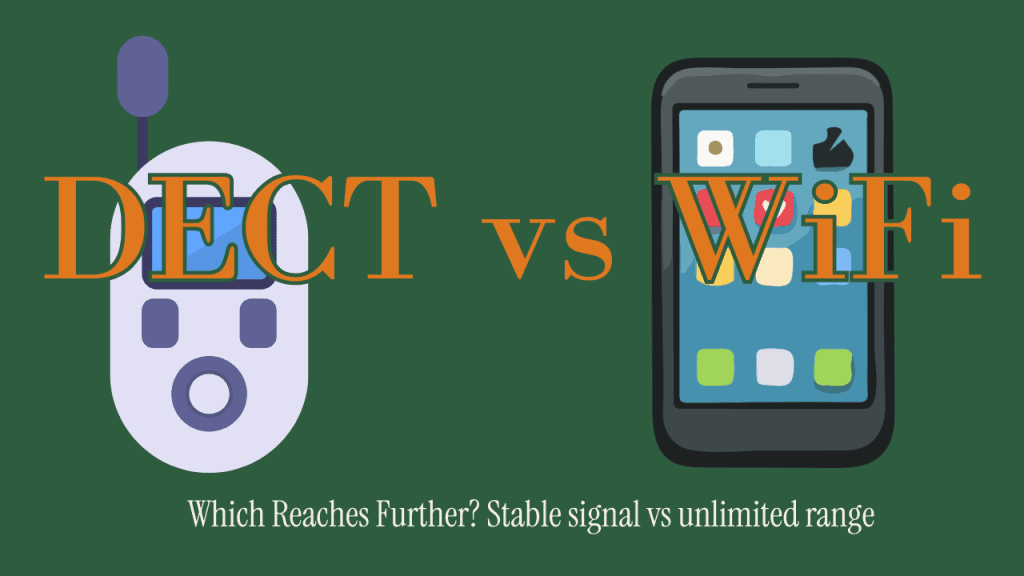
DECT (Digital Enhanced Cordless Telecommunications, running at 1.9GHz) is what most “non-WiFi” UK monitors use. It’s a dedicated, encrypted, closed-loop channel. It doesn’t touch your home internet, and it largely ignores interference from WiFi, Bluetooth, microwaves and the rest of the 2.4GHz crowd. The trade-off: range is limited — realistically around 50 metres indoors — but it’s stable range. It punches through brick far more reliably than WiFi does. For an old British house, that reliability beats a big number every time.
WiFi / app monitors (Nanit, Owlet, the smart Hubble models) flip it around. Their range is effectively unlimited — you can check the baby from work, from the pub, from another country, as long as both ends have internet. But that range is only as good as your broadband and your in-home WiFi coverage. If your router can’t push a clean signal to the nursery, the monitor can’t either. And because they’re internet-connected, they carry a genuine, well-documented hacking risk that a closed DECT unit simply doesn’t.
I go deep on the security side in our baby monitor security guide, so I won’t repeat it all here — but one thing worth a line. The UK’s PSTI Act 2022 now legally requires connected devices, including WiFi baby monitors, to ship with unique passwords, a security-update policy and a way to report vulnerabilities. That’s good news. But it’s about security, not range — it tells you which WiFi monitor is safer to buy, not how far it’ll reach. Don’t confuse the two.
Bottom line: solid-brick home, signal stability your priority → look hard at non-WiFi DECT monitors. Big or spread-out home where you need garden and remote coverage → WiFi, backed by proper mesh WiFi.
Why your baby monitor keeps cutting out
If you’ve already bought one and it keeps dropping, this section’s for you. A monitor that “loses range” is usually a monitor fighting interference, not one that’s broken. The usual suspects:
- 2.4GHz congestion. Your router, your microwave, cordless phones, Bluetooth speakers, the neighbours’ WiFi — they all crowd the same band a lot of monitors use. In a terraced street you might have a dozen networks overlapping.
- Too many walls and floors. See the table above. Every obstacle compounds.
- Distance from the baby unit — obvious, but easy to underestimate across a whole house.
- Low battery on the parent unit, which quietly weakens the link before you notice.
- A weak router — for WiFi models specifically, a poor signal to the nursery is the whole problem.
Two quick fixes that genuinely help. First, if you’ve got WiFi devices clashing, set your router to channel 1, 6 or 11 — those are the only three 2.4GHz channels that don’t overlap each other, so they cut interference. Second, keep the baby unit and parent unit at least a metre or so apart from each other and away from other electronics; sitting them on top of the router is asking for trouble.
If yours is dropping out and you’ve not properly set it up yet, walk through our set-up walkthrough — position and placement fix more “range problems” than people expect.
Realistic range by monitor — UK models compared
Here’s where the headline numbers meet reality. The table below lists what’s actually on sale in the UK in 2026, the range each brand claims, and my honest note on what to expect indoors.
A quick word on the affiliate links: some of the retailer links below earn me a small commission if you buy through them, at no extra cost to you. It doesn’t change what I recommend — I only point you at kit I’d genuinely consider for my own family. The whole point of this site is honest answers, and a few pennies of commission isn’t worth torching that.
| Model | Type | Claimed range | What to actually expect | Where to buy |
|---|---|---|---|---|
| BT Video Baby Monitor 6000 | Video, non-WiFi (digital) | 50m indoor / 250m outdoor | ~50m indoors is your real ceiling; solid through brick — but see the note below on BT | Discontinued |
| BT 6800 Smart | Video + app | 50m indoor / 250m outdoor | App range “unlimited” via WiFi; in-home unit ~50m — see the note below on BT | Discontinued |
| Motorola VM483 | Video, 2.4GHz, no WiFi | 300m line-of-sight; 50m indoor (mfr) | Motorola admits ~50m indoors on the listing — refreshingly honest | Amazon UK, Argos |
| Motorola AM21 / MBP21 | DECT audio | 300m | Strong, interference-free; great in old houses | Amazon UK, Argos |
| Tommee Tippee Dreamee | DECT video + movement | Up to 300m | Closed DECT; reliable through walls | Amazon UK, Currys |
| Philips Avent SCD-series | DECT audio | 50m indoor / 330m outdoor | My pick for tough solid-wall homes — check the listing says DECT, not Connected | John Lewis, Argos, Philips UK |
| Angelcare AC527 | Movement + video, closed (non-WiFi) | 250m / 820ft | Secure closed system; 250m is optimistic | Amazon UK, retailers |
| Angelcare AC327 | Movement + video, closed | 250m | Reliable signal; the AC25-1 is the current equivalent | Retailers |
| VTech VM5254 | Video, 2.4GHz | 300m (UK claim) | Open-field figure; expect far less indoors | Amazon UK, Argos |
| Hubble Nursery View Select | Video, dedicated unit | Up to 300m | Open-field; ~50m realistic indoors | Argos |
| Nanit Pro | WiFi / app only | Unlimited (internet-dependent) | No parent unit; needs strong WiFi + subscription | John Lewis |
| Owlet Dream Duo | WiFi / app + sock | Unlimited (internet-dependent) | Medically certified sock; WiFi-reliant | John Lewis |
All range figures are manufacturer claims unless stated. Prices and stock move constantly — check live before you buy.
The three I’d actually buy from this table: Motorola AM21 if audio is enough and you want DECT for the price of a takeaway (my full AM21 review covers the reliability catch) · Tommee Tippee Dreamee if you want video and movement sensing without an app · Philips Avent SCD-series if your walls are the problem — buy it where the listing clearly says DECT, because Philips also sells WiFi “Connected” monitors under the same Avent name.
Why two BT models are marked discontinued: BT has left the baby monitor market. The 6000 and 6800 were among the best DECT units ever sold in Britain, and they still top half the buying guides online — but the range is end-of-life and there’s no replacement coming. If you find one in stock at a fair price it’s still a good monitor; just check the warranty position first, and don’t count on support later. I’ve left them in the table because the range figures are useful reference points, not because I’d send you out to buy one.
One thing if you’re hunting a specific model number: some of these are whole product lines, not single units. Tommee Tippee also sells the Dreamview and Dreamsense alongside the Dreamee. Philips’ SCD-series spans several models — SCD710, SCD560, SCD535 and others — which is why I’ve listed it as a range rather than one box. The good news is that the range behaviour holds across each line (DECT is DECT), but exact screen size, features and price vary model to model, so confirm the specific unit before you check out.
A heads-up on BT specifically: BT has stopped manufacturing its own monitors, and its Smart Controls app was switched off on 15 September 2025. The in-home parent unit on BT Smart models still works fine, but don’t buy one expecting the remote app features — they’re gone. Existing BT stock is still all over Argos, so buy it with your eyes open.
How to test range in YOUR home (the walk test)
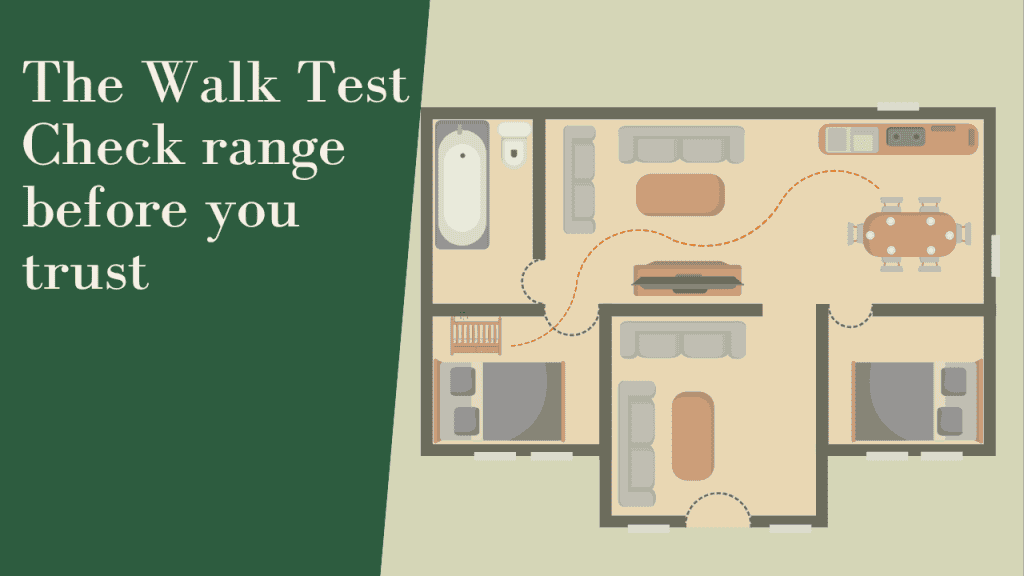
No table can tell you what your specific house will do to a signal. Your walls, your floor plan, your neighbours’ WiFi — all unique. So the only number that matters is the one you measure yourself. Here’s the test I’d do, day one, before trusting any monitor overnight:
- Set the baby unit up where the cot will actually be — not on a convenient shelf for testing. Position it centrally if you can, ideally with a clear line to where you’ll spend your evenings.
- Take the parent unit and walk. Every room. Up and down the stairs. The kitchen, the lounge, the bathroom, the garden if you’ll ever be out there.
- Watch and listen as you go. Note where the picture stutters, where the audio breaks up, where it drops entirely.
- Do it at night, with the WiFi busy. Interference is worse in the evening when everyone’s streaming. A monitor that’s perfect at 2pm can fall apart at 9pm.
Here’s your benchmark to act on: if you lose the signal before you reach your usual evening spot, or it dies through just two or three internal walls, send it back. Don’t talk yourself into living with it. Buy from a retailer with a generous returns policy — Amazon UK, Argos and John Lewis are all fine for this — set it up the day it arrives, run the walk test, and return it without guilt if it fails. Then move up to a stronger DECT unit or a WiFi model backed by mesh. The whole point of testing on day one is that returning it is easy; finding out three weeks later that it doesn’t reach the kitchen is not.
How to choose — match the monitor to your house
Forget the box. Match the monitor to the building you actually live in.
- Old solid-brick terrace or semi, or a concrete-floored flat? Prioritise DECT — Philips Avent SCD-series, Tommee Tippee Dreamee, Angelcare. Position the baby unit centrally with line-of-sight to your evening spot.
- Nursery is several walls or floors from where you relax? That’s a large-house problem rather than a range problem, and it has its own guide to monitors for large houses.
- Don’t over-buy range. A 300-metre open-field figure is marketing. You almost never need more than reliable whole-house-plus-garden coverage. Spend the difference on signal stability, a decent screen and — for WiFi — security.
- If you go WiFi, lock it down. Set a strong unique password, turn on two-factor authentication, and keep the firmware updated. PSTI now legally requires the manufacturer to support that — but the setup is on you.
And if you want to weigh all of this up against everything else — features, cameras, budget — it’s all in our full UK baby monitor guide.

FAQ
What is a good range for a baby monitor? For most UK homes, an indoor range of around 50 metres (often quoted as 250–330m open-field) is plenty. Reliability through walls matters far more than the headline number — a rock-solid 50m beats a flaky 300m every time.
Why does my baby monitor keep cutting out? Usually interference from 2.4GHz devices (router, microwave, cordless phone), too many walls or floors, distance from the baby unit, a low parent-unit battery, or — for WiFi models — a weak router signal. Switching your router to channel 1, 6 or 11 and moving the units apart often fixes it.
DECT vs WiFi baby monitor range — which reaches further? WiFi wins on paper: unlimited range as long as both ends have internet. But that range depends entirely on your broadband and WiFi coverage. DECT is limited to roughly 50m indoors, but it’s far more stable and punches through brick better — which makes it the more reliable choice in older British homes.
What’s the best baby monitor range for a big house or through walls? In a large home the answer depends on floors and distance rather than range alone — I’ve broken it down properly in our guide to baby monitors for large houses. For solid-walled homes specifically, a strong DECT unit positioned centrally is still the safest bet.
Can I use a non-WiFi monitor in a flat? Yes — and DECT often beats WiFi in flats. Concrete floors and a wall of neighbouring WiFi networks cause congestion that a closed DECT channel simply ignores.