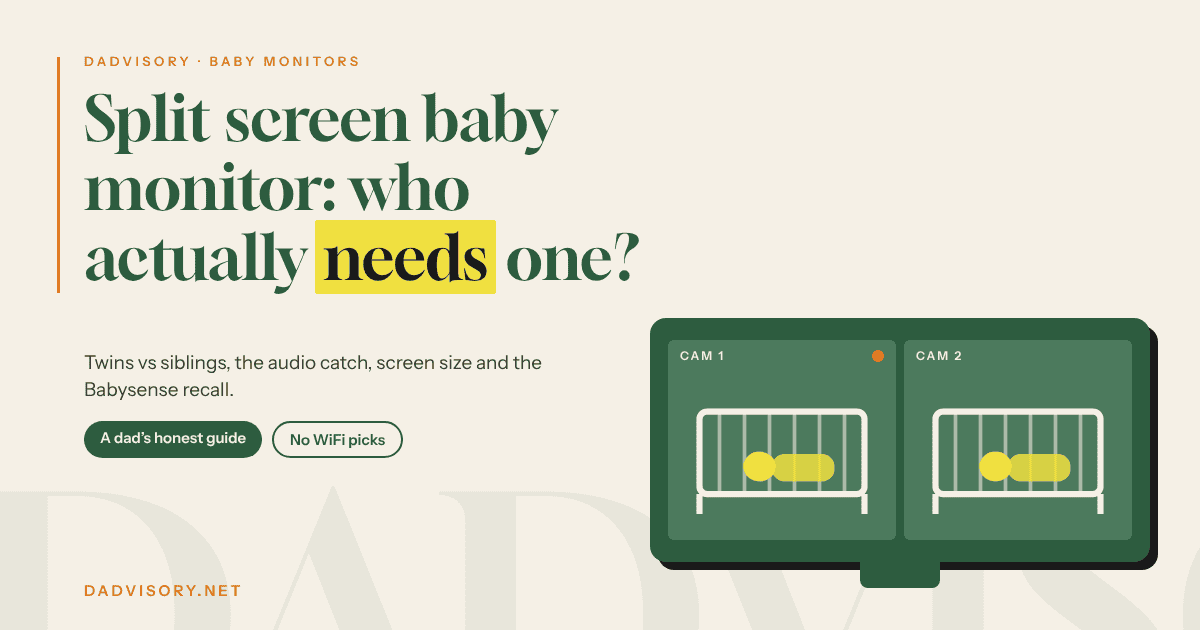
Split Screen Baby Monitor: Who Actually Needs One (and Who Doesn’t)
Heads up: some links in this post are affiliate links. If you buy through them, I earn a small commission at no extra cost to you. It doesn’t change what I write.
In April 2023 our cheap no-name baby monitor gave up. I replaced it with a Babysense two-camera set. Not because we had two children, but “just in case”. A spare camera felt like a sensible insurance policy.
That second camera never came out of the box. Not once. Which means I paid for a split screen baby monitor setup I never used, and I never even tested the split screen.
That’s the honest starting point for this post. A split screen baby monitor is brilliant for some families and pointless for others. Twins in one room, siblings in two rooms, and a newborn plus a toddler are three different problems. Only one of them really needs two pictures on one screen.
Below I’ll cover what split screen actually does, the audio catch nobody puts on the box, why screen size matters more than anything else, which models genuinely split the screen (checked in the manufacturers’ own manuals), and the Babysense recall every UK parent with a split screen monitor should know about.
What a Split Screen Baby Monitor Actually Does (and Do You Need One?)
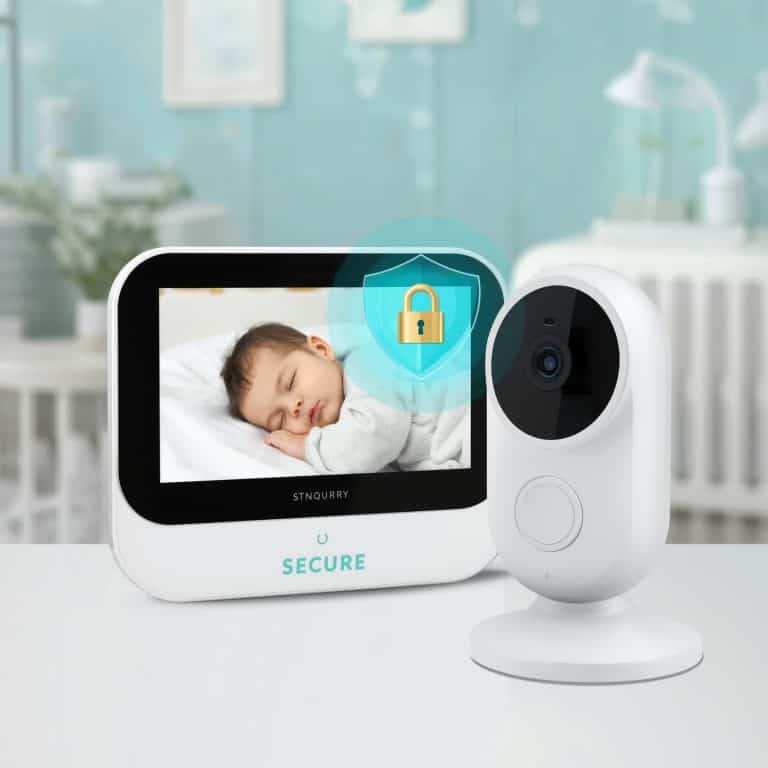
A split screen baby monitor shows two camera feeds on the parent unit at the same time. Two rooms, or two cots, side by side. You glance once and see both.
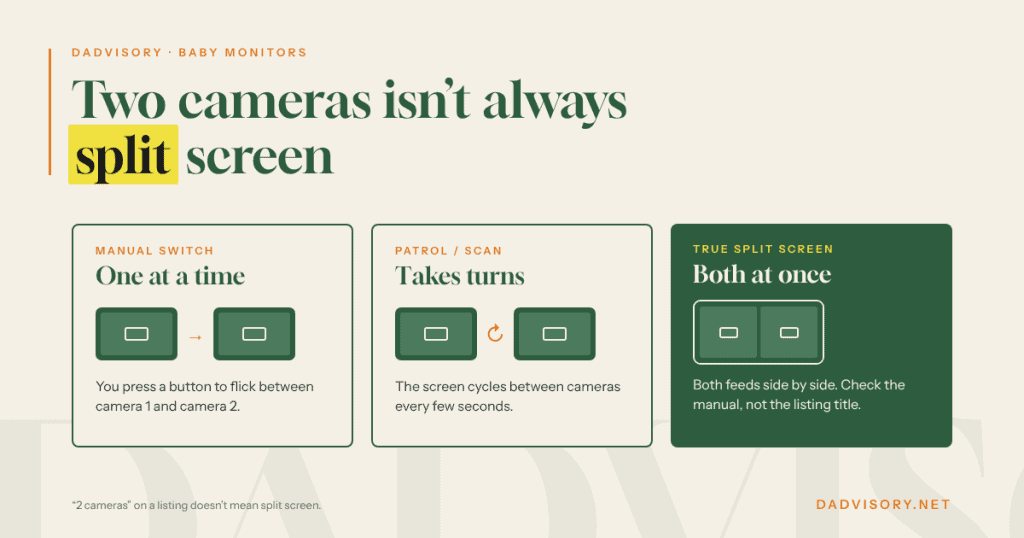
That sounds like what every two-camera set does. It isn’t. Plenty of monitors sold with two cameras only show one camera at a time. They give you two other ways of handling it:
- Manual switching. You press a button to flick between camera 1 and camera 2.
- Patrol or scan mode. The screen cycles through the cameras on its own every few seconds. VTech’s quick start guide for the VM924 describes patrol as cycling through the baby units every 10 seconds.
- True split screen. Both pictures on the screen together, all the time.
The listings blur these together. “2 cameras” and “multi-camera” don’t mean split screen. If simultaneous viewing is the reason you’re buying, look for the words split screen in the manual, not just in the Amazon title.
Quick test: do you actually need one?
Ask yourself one question. At 3am, do I need to see both children at the same moment, or do I just need to know which one is making noise?
If it’s the second one, switching or patrol mode will do the job, and you can spend less. If it’s the first, a split screen baby monitor earns its place. I bought the hardware for a situation that never happened. Don’t buy it for a situation that never happens to you.
Twins vs Siblings in Two Rooms: Different Problems
People search “baby monitor for twins” and land on split screen baby monitor sets. Sometimes that’s right. Often it isn’t.
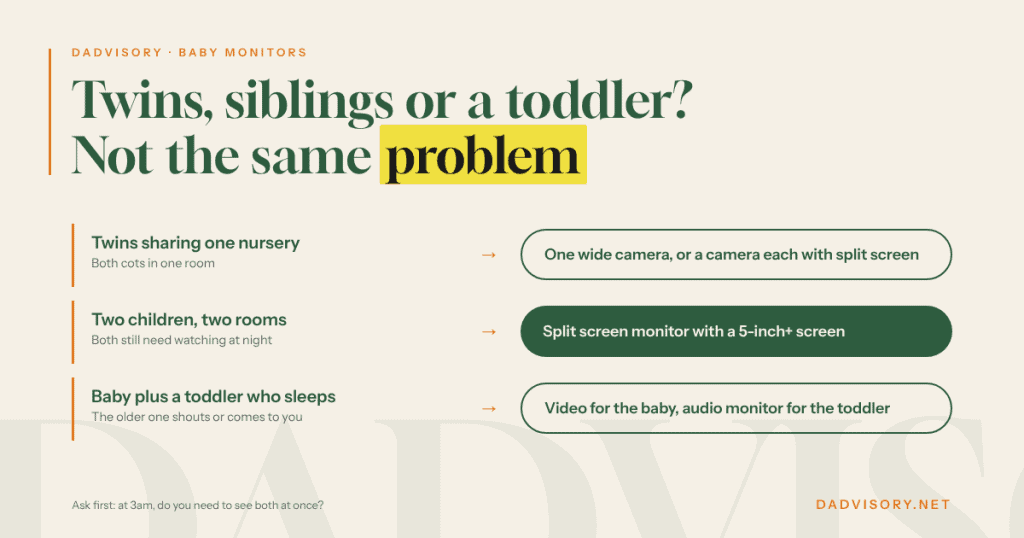
Twins sharing a nursery
If both cots are in one room, you may not need two cameras at all. One camera mounted high, angled to take in both cots, can cover the whole scene. A pan-and-tilt camera lets you nudge the view towards whichever twin is stirring.
Where a second camera helps with twins is a close-up of each baby. That’s the case for a baby monitor for twins with split screen: two clear faces instead of one wide shot of two small shapes.
Siblings in separate bedrooms
This is the strongest case for a split screen baby monitor. Two rooms, often on different floors, and you want eyes on both without walking between them. Both pictures on one screen saves you the button-pressing in the dark.
A newborn and a toddler
Here’s the uncomfortable truth: a lot of families don’t need video for the older child. A three or four-year-old who sleeps through will either shout or appear at your bedroom door. An audio monitor for the toddler and a video monitor for the baby is a cheaper and perfectly sensible setup. I come back to that in the picks.
That’s where we are with my son. He’s four, he sleeps like a log, and nobody watches him on a camera at night.
We are thinking about putting up a standard camera on a permanent basis, though, and not for the nights. He climbs everything he can find, and more and more often he shuts himself in his room to play on his own. That’s a daytime job for an ordinary camera, not a reason to buy a split screen set. I’ve weighed up the two in my baby monitor vs security camera post.
The Audio Catch: Hearing Both Babies at Once
This is the bit the box doesn’t tell you. On most split screen baby monitors, you see both cameras but only hear one.
HelloBaby’s manual for its two-camera, 6-inch split screen set says you choose which camera’s audio you listen to. The other camera shows sound as an on-screen alert. VTech’s VM924 quick start guide has a setting to make the parent unit beep when a baby unit detects sound while you’re in split mode. Both are workarounds, not two live audio channels.
Why it matters: half of baby monitoring is listening. You hear the cough, the whimper, the change in breathing long before you look at the screen. If the twin you’re not listening to is the one who’s unsettled, you get a beep or a flashing icon instead of the actual sound.
What to do about it:
- Set the audio to the child who needs it more. Usually the youngest, or whoever is poorly that week.
- Turn the sound alert on for the other camera and test it before the first night. Make a noise in that room and check what the parent unit does.
- If true dual audio is a must, check the manual for the exact model before you buy. Don’t rely on a Q&A answer from another shopper.
The sound on my old Babysense was good, and I’d say audio matters more than picture quality on any monitor. That’s exactly why I’d check how a split screen baby monitor handles sound before trusting it.
Screen Size: Why 2.4″ Is Too Small to Split
My Babysense had a 2.4-inch screen. The picture was average, but it showed me what was going on in my son’s room, and for one camera that was enough.
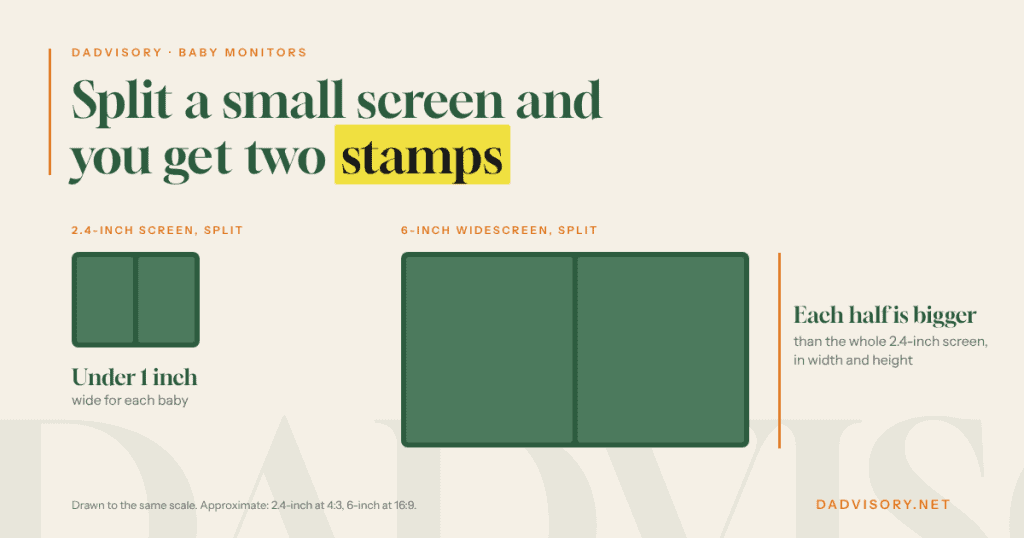
Now picture that screen cut in half. Do the rough maths on a 2.4-inch screen and each half comes out under an inch wide. At that size you can tell there’s a baby in the cot. You can’t tell whether they’re settling or about to wake up.
Compare that with a 6-inch widescreen. Split it down the middle and each half is still bigger, in both width and height, than the whole of my old 2.4-inch screen. That’s the difference between a feature that works and a feature that’s on the box.
My rule of thumb:
- Under 4 inches: fine for one camera, not worth splitting.
- 4 to 5 inches: workable split, smaller faces.
- 5 inches and up: where split screen starts to make real sense.
One more thing on range, because two cameras often means two floors. My Babysense reached from my son’s room through the whole house and about 8 metres into the garden. That was one camera on a 2.4GHz link in our house. Yours will behave differently, and I’ve written up why in my guide to baby monitor range in UK homes.
Best Split Screen Baby Monitor Picks
I haven’t had any of the monitors below in my hands. The picks are based on manufacturer manuals, Amazon UK listings and what I’ve already researched for other posts on this blog. I’ve checked each brand against the UK government’s product recall database before including it.
All three picks work without WiFi. They use their own 2.4GHz radio link between camera and parent unit, with no app and no internet connection. If you’re after DECT for thick walls, I didn’t find a split screen video monitor on DECT on sale in the UK. My no WiFi baby monitor guide explains the difference between DECT and the 2.4GHz FHSS link these use.
Best overall and best big screen: HelloBaby HB6560 (two-camera set)
Screen: 6-inch IPS · Link: 2.4GHz FHSS, no WiFi · Cameras: up to two · Price tier: budget to mid-range
This is the split screen baby monitor I’d point most families to. The 6-inch IPS screen is the biggest in this list, and size is what makes split screen usable. The cameras pan and tilt from the parent unit, so you can frame each cot properly.
I’ve covered it in detail in my HB6550 vs HB6560 comparison. The short version: the HB6560 costs roughly £20 more than the HB6550, and split screen is the main reason to pay it.
Pros:
- Biggest screen here, so each half of the split is genuinely watchable
- No WiFi, no app, no account
- Remote pan and tilt on each camera
Cons:
- Two cameras maximum. Three children, or a third room, and you’ve outgrown it.
- HelloBaby’s own shop says its HB6560 add-on camera only works with the HB6560. Your old HB6550 camera won’t carry over.
- Audio from one camera at a time, as covered above
- Same 2.4GHz band as your router, so thick Victorian brick is still a challenge
Not for you if: you need more than two cameras, or you need to hear both rooms live at once.
Check the HelloBaby HB6560 on Amazon UK → (choose the two-camera option if you want split screen out of the box)
Best from a big brand: VTech VM924-2
Screen: 5-inch LCD · Link: 2.4GHz, no WiFi · Cameras: two in the box · Price tier: mid-range
The VM924-2 is the VTech split screen baby monitor to buy. VTech’s UK quick start guide for the VM924 lists a split mode, where the screen shows all paired baby units at the same time. It also has patrol mode if you’d rather cycle through them.
The model number matters here. The VM924-2 is the two-camera version, and split mode is listed for pairing with the VM924-2. The single-camera VM924 is a different box.
Pros:
- Split screen confirmed in VTech’s own UK guide, not just the listing
- Both cameras pan and tilt
- Big, established brand with UK support, sold widely in the UK
Cons:
- The 5-inch screen is a modest resolution (480 x 272 in VTech’s spec), so don’t expect a crisp picture in each half
- Audio in split mode works with a sound-alert beep for the other camera, not two live channels
Not for you if: picture sharpness is your priority. The HelloBaby’s 6-inch IPS panel is the better screen to split.
Check the VTech VM924-2 on Amazon UK → (make sure the listing says VM924-2, with two cameras)
Best budget option: don’t split at all
If your second child is a toddler who sleeps through, put a video monitor on the baby and a simple audio monitor on the toddler.
The VTech DM1211 audio monitor is a budget option I’ve already covered on this blog. Pair it with whatever single-camera video monitor you already own. You hear both children all the time, which is more than most split screen sets give you.
Not for you if: you have twins, or two children who both still need watching. Then the HB6560 is the better spend.
What about the cheap 7-inch sets?
Search Amazon UK for split screen baby monitor and you’ll find 7-inch sets from brands you’ve never heard of. Some may be decent. I haven’t researched them closely enough to recommend one, and I won’t pretend otherwise. If you go that way, check the seller is UK-based, the plug is a UK plug and the brand has a UK contact for support.
For a wider look at single-camera options, my best baby monitors UK guide covers the full range.
Babysense MaxView Recall: What UK Parents Need to Know
If you already own a 5.5-inch Babysense split screen baby monitor, or bought one second-hand, read this section before you put it on charge tonight.
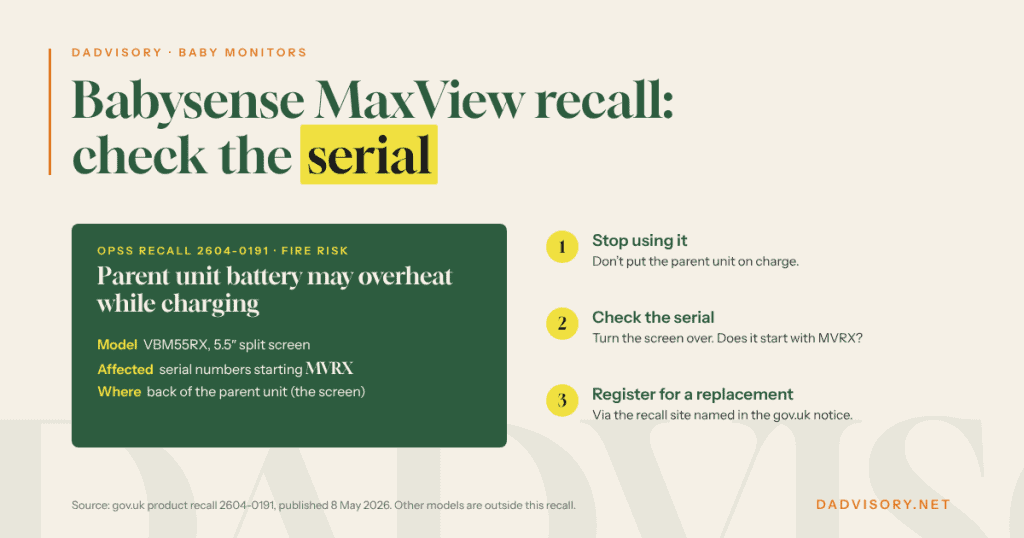
On 8 May 2026 the UK’s Office for Product Safety and Standards published a product recall for the Babysense Max View Wireless Digital Video Baby Monitor (case 2604-0191). The hazard: the battery in the parent unit may overheat during charging, which presents a risk of fire.
Which monitors are affected
- Model: ‘MaxView By Babysense’ 5.5″ Split Screen Full HD 1080P Video Baby Monitor (VBM55RX)
- Serial numbers: only those beginning with “MVRX”. The serial number is on the back of the parent unit (the screen, not the camera).
- Amazon ASINs listed in the notice: B0C1C7LK5L, B0C1C8CWW2, B0C2D7PPNY
- Not affected: the notice says other models and ASINs are outside the scope of this recall
What to do if yours is affected
- Stop using the parent unit straight away. Don’t charge it.
- Turn it over and check the serial number on the back.
- If it starts with MVRX, register on the recall site named in the government notice (support.recallsecure.com) to confirm and arrange a replacement parent unit.
The notice also says Amazon has removed the affected listings. So if you see a “MaxView” on a second-hand site, check the serial before you hand over any money.
For the record: the Babysense I owned was a different model, the V24R, with a 2.4-inch screen. It isn’t covered by this recall. But it’s a good reminder that a brand name isn’t a safety guarantee. Check the model and the serial, not the logo.
HelloBaby and VTech: Can They Split Screen?
These are the two brands UK parents ask about most, and the answer depends entirely on the model number. Before you buy a split screen baby monitor from either, here’s what the manufacturers’ own manuals say.
HelloBaby
- HB6560: yes. Split screen is the headline feature, with two cameras side by side on the 6-inch screen.
- HB6550: it’s messy. One version of HelloBaby’s own HB6550 manual describes a split screen mode with two cameras. Independent testers didn’t find it on the units they had. If split screen is the reason you’re buying, check the manual for the exact version you’re getting. I go through this in my VTech vs HelloBaby comparison.
VTech
- VM924-2: yes. VTech’s UK quick start guide lists split mode for the two-camera version.
- VM3250-2 (sold in the US as the VM819): no. It cycles between its two cameras in patrol mode, so you watch one room at a time. More on that in my VTech VM819 review.
- VM3254-2: no. Argos’s answer to a customer question says it doesn’t have split screen, and VTech advises patrol mode for two baby units.
The pattern with VTech is simple: the small 2.8-inch models patrol, the 5-inch VM924-2 splits. Which fits everything I said about screen size.
App-Based Options for Twins (Nanit, Owlet) and the Subscription Question
The other route to a split screen baby monitor is a WiFi camera that you watch on your phone. No parent unit, or one as an extra.
Nanit
Nanit’s app has a split screen view that shows two cameras at once. According to Nanit’s own help pages, split screen doesn’t need a paid plan: anyone with more than one camera can use it. The paid Insights plan unlocks the sleep analytics and some other features. Nanit Pro is sold in the UK through retailers including John Lewis, and it sits firmly at the premium end. Two cameras for twins doubles that.
Owlet
Owlet is better known for its Dream Sock than its camera. For twins, each baby needs their own sock, and both show up in the same Owlet app. Owlet launched its Owlet360 subscription in the UK at the end of 2025. The core tracking stays free, and the subscription adds deeper trends and summaries.
A word on sock and breathing monitors, because it matters more with two babies and twice the alerts. The Lullaby Trust says on its baby monitors page that there is no research showing monitors help prevent SIDS. A monitor of any kind doesn’t replace safer sleep. If you’re ever worried about your baby’s health, speak to your health visitor, your GP or NHS 111.
The subscription question
App monitors put the clever features behind a monthly or yearly plan, and with twins you’re often buying two of everything. My take: the dedicated split screen baby monitors above do the core job with no subscription, no WiFi and no account. If you’re weighing that up, my guide to baby monitors without a subscription runs the long-term costs.

FAQ: Split Screen Baby Monitors
What is a split screen baby monitor?
A split screen baby monitor shows two camera feeds on the parent unit at the same time, side by side. It’s different from a two-camera set that switches between cameras or cycles through them in patrol mode, where you only see one room at a time. It’s useful for twins with a camera each, or siblings in separate rooms. Check the manual, not just the listing, because “2 cameras” doesn’t always mean split screen.
Is a split screen baby monitor worth it?
It’s worth it if you need to see two children at the same moment, usually twins with separate cameras or two young children in two rooms. It’s not worth it for a newborn and a toddler who sleeps through, where an audio monitor for the older child is cheaper. Screen size matters too: on anything under about 4 inches, each half of the split is too small to be useful.
Can you hear both babies on a split screen monitor?
Usually not both live at once. On the HelloBaby and VTech split screen models covered here, the manufacturers’ manuals describe listening to one camera, with a sound alert or on-screen icon for the other. Set the audio to the child who needs it more and test the alert from the other room before the first night.
Can you split screen a HelloBaby monitor?
Yes. The HelloBaby HB6560 is a split screen baby monitor that shows two cameras side by side on a 6-inch screen. The HB6560 takes a maximum of two cameras, and HelloBaby says its add-on camera only works with the HB6560. The HB6550 is unclear: one version of its manual describes split screen, but independent testers didn’t find it. Check the manual for the version you’re buying.
Can you split screen a VTech baby monitor?
Yes. The VTech VM924-2, the two-camera version of the 5-inch VM924, is a split screen baby monitor. VTech’s UK guide lists a split mode that shows all paired cameras at once. The smaller VM3250-2 and VM3254-2 don’t split. They use patrol mode, which cycles between the two cameras so you see one room at a time.
My Verdict
I bought a second camera for a situation that never came. Learn from that.
If you’ve got twins with a camera each, or two little ones in two rooms who both still need watching, get a split screen baby monitor with a big screen. The HelloBaby HB6560 is the one I’d buy, and the VTech VM924-2 is the big-brand alternative. If it’s a baby and a toddler who sleeps through, skip the split: video for the baby, audio for the toddler, money saved.
Whatever split screen baby monitor you choose, check the model number twice. It decides whether you actually get split screen, and in the Babysense case, whether your monitor is on a recall list.
Still deciding between one camera and two? Start with my guide to the best baby monitors in the UK, then come back here once you know what your house and your family actually need.